Updated on September 18, 2026. Tested on Windows 11 with Ravencoin Core 4.8.0. This is not a guide on how to leave your computer unprotected permanently.
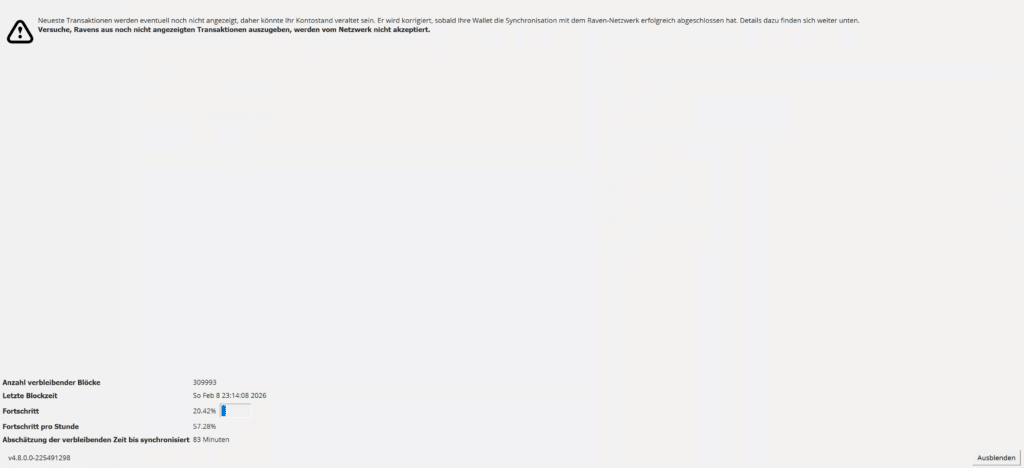
If Core moves slowly during the first synchronization, it’s rarely due to the connection. A Gigabit connection fills the line in seconds. Windows Defender then scans every new file in the Raven folder. That’s exactly where the wallet spends hours writing blocks. In one run here, the rate was about 3 percent per hour. After setting an exception for this folder only, it jumped to 50 to 70 percent per hour shortly afterward. The block height increased noticeably.
Bitcoin Core users are familiar with this. The scanner detects continuous write access and processes every file. Core still verifies the blocks on its own. The exception doesn't change the rules of the chain; it simply saves the scanner from having to do the work twice.
First, remove the folder—not the entire protective cover.
Turning off real-time protection completely often speeds things up even more, but it leaves every other program unprotected. It makes sense to start by protecting only the folder that contains the chain.
Default on Windows:
%APPDATA%\Raven
In Explorer, click the address bar, type exactly that, then press Enter. The visible path will then look like this:
C:\Users\DEINNAME\AppData\Roaming\Raven
AppData is hidden. If the folder is missing, start Core once and then close it. If the data file is intentionally located elsewhere (your own -datadir), this path applies; roaming does not.
Clicks in Windows Security
- Windows Security, Virus and Threat Protection.
- Manage settings.
- Exclusions, Add Exclusion, Folder.
- Just the folder
RavenSelect this option—not the entire user profile and not Drive C:.
In addition, you can open the file raven-qt.exe Uninstall it from the location where Core is installed. Then restart Core. The version number at the bottom should be 4.8.0; there should be multiple connections, and the progress bar should continue to move.
How to Recognize a Defender
In Task Manager, “Antimalware Service Executable” (MsMpEng) remains active on the CPU or disk while raven-qt is writing. The percentage indicator moves, but in slow motion. After the exception, MsMpEng drops, and the files under blocks grow faster.
If MsMpEng barely runs but the count stays the same for an hour, the scanner isn't the problem. In that case, there aren't enough peers, the version is outdated, or the data file is unusable. Norton, McAfee, and similar packages behave like Defender: create an exception for the same folder instead of shutting down half the system.
If you decide to test the real-time protection anyway
Some people don't notice the change until real-time protection is completely turned off. Do not leave your computer unattended on an unsecured network—only for the duration of the sync. Afterward, turn protection back on and leave the folder exception in place. A ready-made wallet.dat On a computer without real-time protection, that's a bad combination.
What the "Week" indicator means
"Six weeks left" at the start is often nonsense. Core calculates based on the current rate. At 0.2 percent and a full scanner, that adds up to a horrendous number. If the rate increases, ignore the notification. If the rate stays the same, check the version and peers first—don't reinstall.
SSD versus HDD makes the second major difference. A mechanical hard drive is slow. Adding Defender on top of that brings everything to a standstill. If you don’t want to archive the chain, you can use pruning later to keep Core smaller. This doesn’t speed up the initial sync, but it saves space afterward.
What You Shouldn't Change
- Not 4.6 or 4.7. After the August exploit, 4.8.0 remains.
- Do not remove the entire data carrier.
- Not
wallet.datUpload it to the cloud just because the sync is finally working. - If you just need a withdrawal and Core is still at a few percent: Use Electrum-Ravencoin to receive the funds. Core can catch up with the chain without having to wait for an exchange processing period.
FAQ
Is the folder exception enough?
In this run, yes. Only if the level continues to rise afterward should you briefly test the real-time protection and turn it back on.
Does this make the chain unsafe?
No. Core checks the blocks. Defender scans files for malware, not for KawPow validity.
SSD or Defender—which is a better investment?
An SSD eliminates the constant bottleneck on the disk. The exception eliminates the constant bottleneck caused by the scanner. Both together represent the normal state—not just one of them.
Do I need to reset anything after the sync is complete?
Turn on real-time protection if it was turned off. The exception for the Raven folder can stay. Core still writes files later on, just not at the same pace as the first sync.